By KODE Team
On this page
Subscribe to receive the latest blog posts to your inbox every week.
By subscribing you agree to with our Privacy Policy.
In April, our team worked to make your KODE OS experience even smoother. From batch updates in dashboards to a time-saving copy-and-paste tool in graphics, here’s what’s new on the platform.
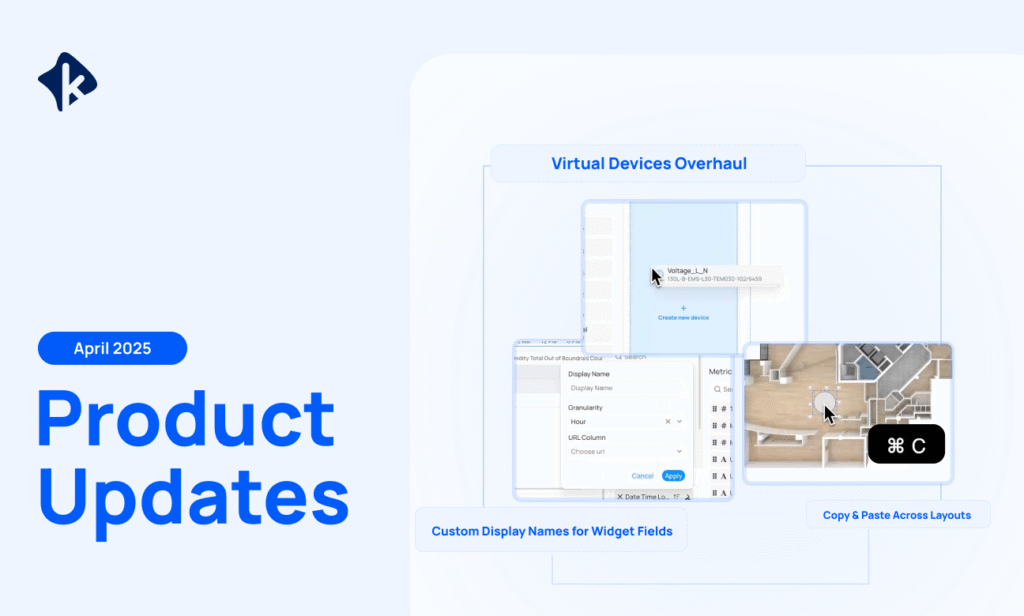
Custom Display Names for Widget Fields
You’ll now be able to set custom display names for dimensions, metrics, and calculated metrics across all widgets for clearer labeling.
Virtual Devices Overhaul (Deployment teams only)
Setting up virtual devices has been completely revamped with easier to use mapping. Create and assign metadata to multiple devices at once, instantly create virtual devices while selecting points, and automatically group points based on naming patterns. Mapped points now fully align with KODE’s Ontology, unlocking automation for dashboards, fault detection, and energy analysis.
Copy & Paste Elements Across Layouts
Start copying and pasting elements across different layouts in the Graphics tool, making it faster to build and edit floor plans. Structure and properties are preserved during the copy, ensuring consistency across layouts. (Markers and tables are not included in cross-layout pastes)
Straight Lines for Drawing Graphics
You can now draw perfectly straight lines, zones, and arrows by holding CTRL or SHIFT while drawing in the Graphics tool. This makes it easier to create clean, accurate floor plans and layouts.
Read about our new API integrations here.

KODE Team
News, insights and resources from the world of smart building management.
By clicking "Sign Up" you're confirming that you agree with our Terms and Conditions.
Originally published on Facility Executive. Integration and expanded policy mean federal building management platforms now require the same heavy security…
Read more
Originally published on The Capitol Forum. “When we began pursuing FedRAMP High authorization, we assumed the biggest challenge would be…
Read more
Verdantix has named KODE Labs a Leader in its Green Quadrant: Unified Building Orchestration Platforms (2026). More important than the…
Read more